1:04
Picture this: you need to quickly check several tasks, but the list only shows you the name, the status, the scheduled date and time, and the initials of whoever it's assigned to. For any other data, you have to open each one's detail, one at a time.
That view just changed.
The benefit
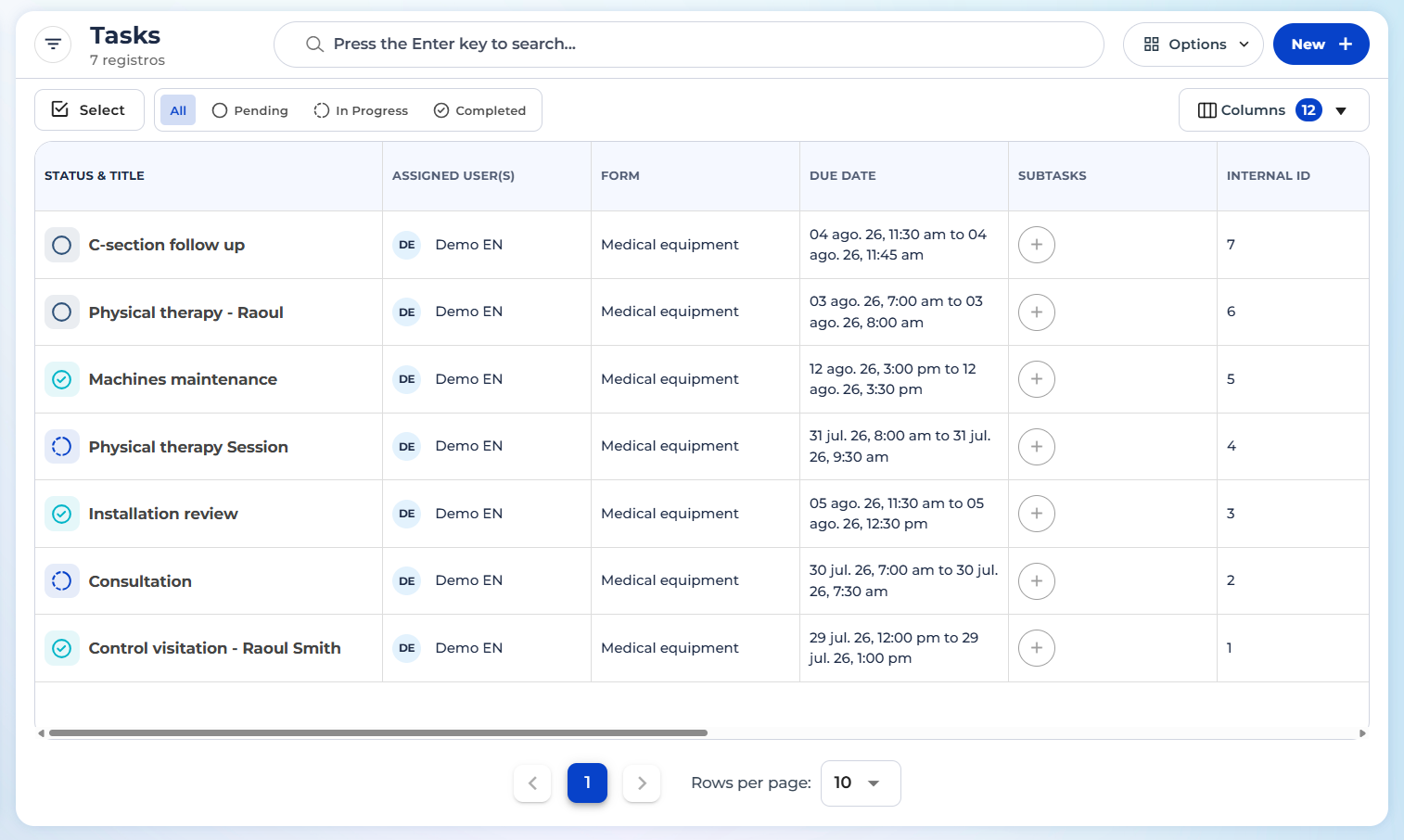
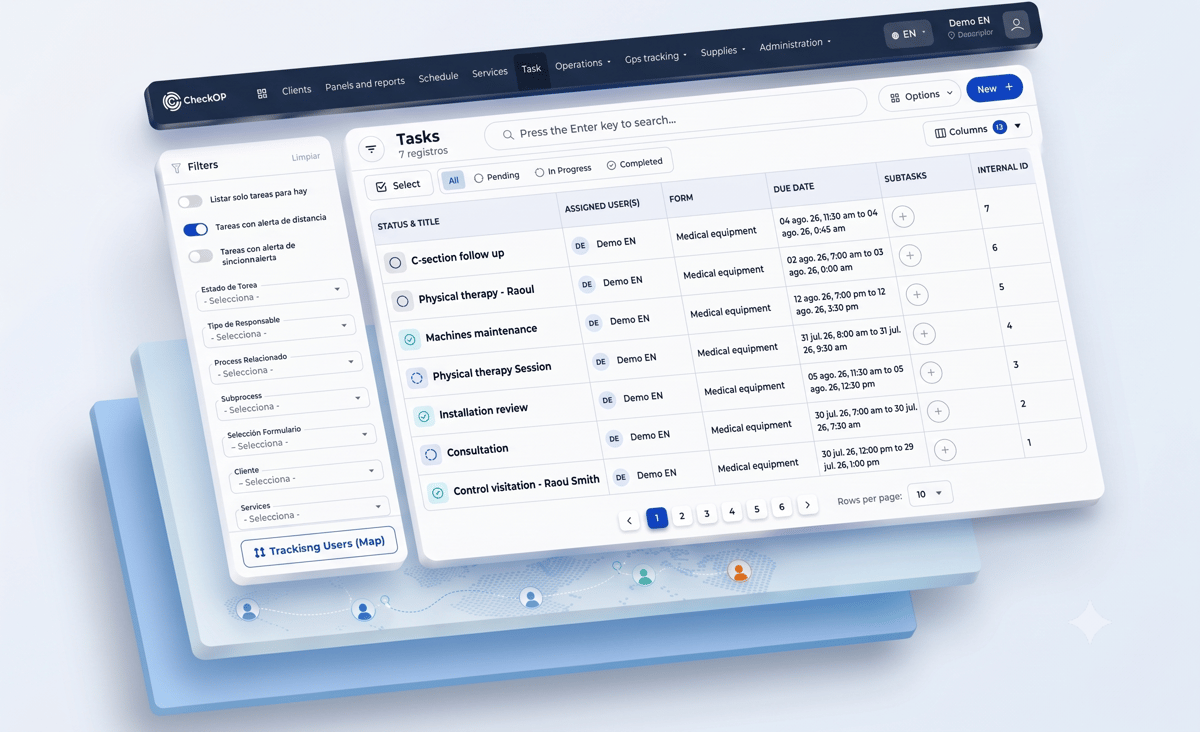
The Tasks module is now shown in table format, with more information visible and columns each user can customize based on what they need to check. On top of that, a side detail panel lets you review more information about a task without leaving the list or entering edit mode.
How it works?
Before: The view was a simple list, with limited information: the task name, the status, the scheduled date and time, and the initials of the assigned user.
Now: The table view shows more information per task, and the visible columns are customizable, so each user can keep the data that matters to them in view.
Detail panel: Selecting a task opens a side panel where you can see more of its information directly from the same page, without needing to enter edit mode.