




Planning

Plan field work and know if it got done

Set, by period, which customers each rep visits and on which day. Publish the plan as tasks in one click and compare committed work against completed work.

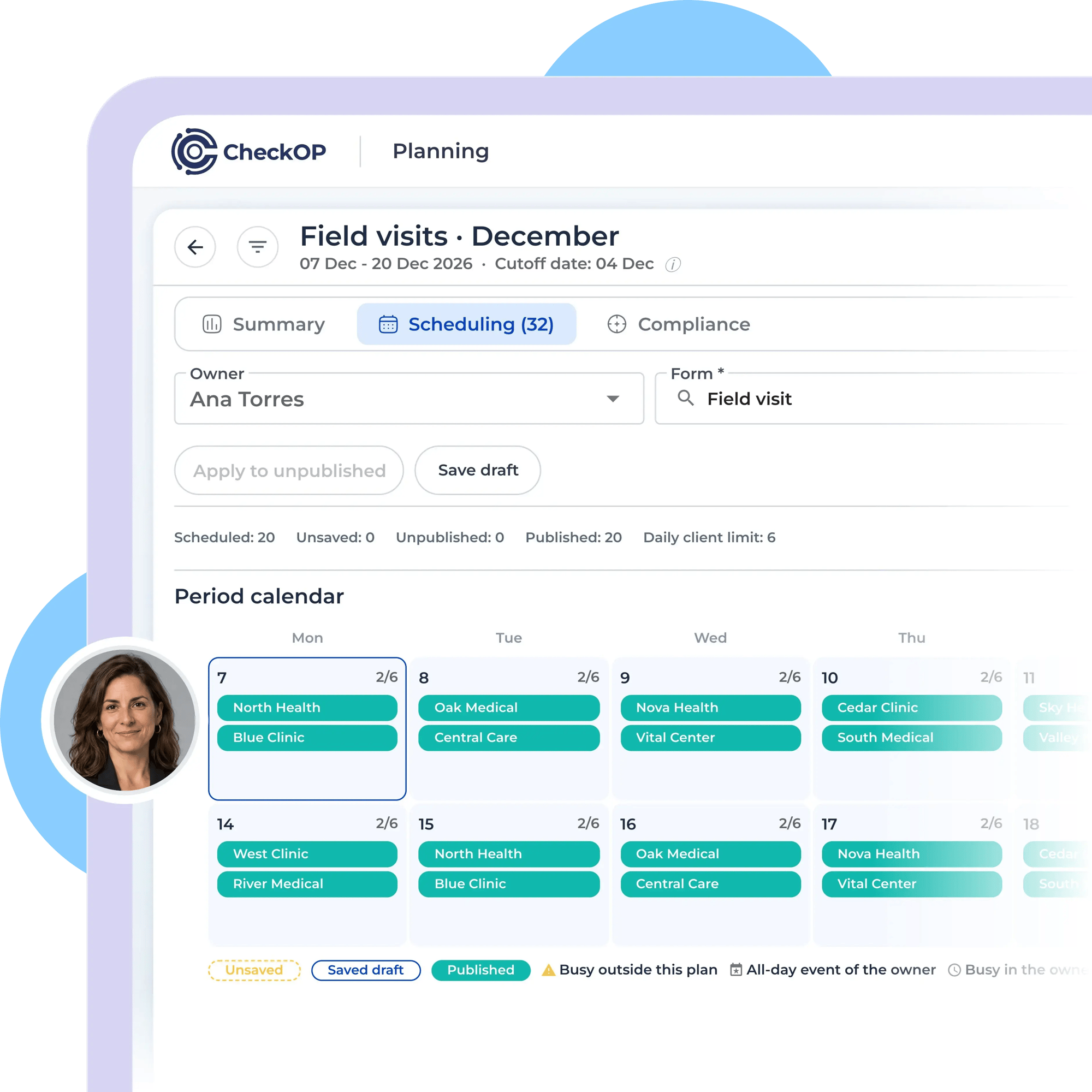
CheckOP planning calendar with Ana Torres as owner and 20 published client visits scheduled for December.

Companies that trust CheckOP

  • Logo  progresus
  • Logo Lavanti
  • Logo AMC

The real problem

Planning in spreadsheets won't tell you if the plan was met

When the plan lives in Excel, WhatsApp or email, nobody knows what was committed or what got done until the month is over.

Without a published plan, every visit depends on the team's memory and there is nothing to measure against.

The plan is built in Excel and then typed in task by task

Customers in the portfolio go months without a visit

Date changes with no reason and no trace

No way to compare planned versus completed work

bg-waves-1
Your solution

From plan to execution in one place

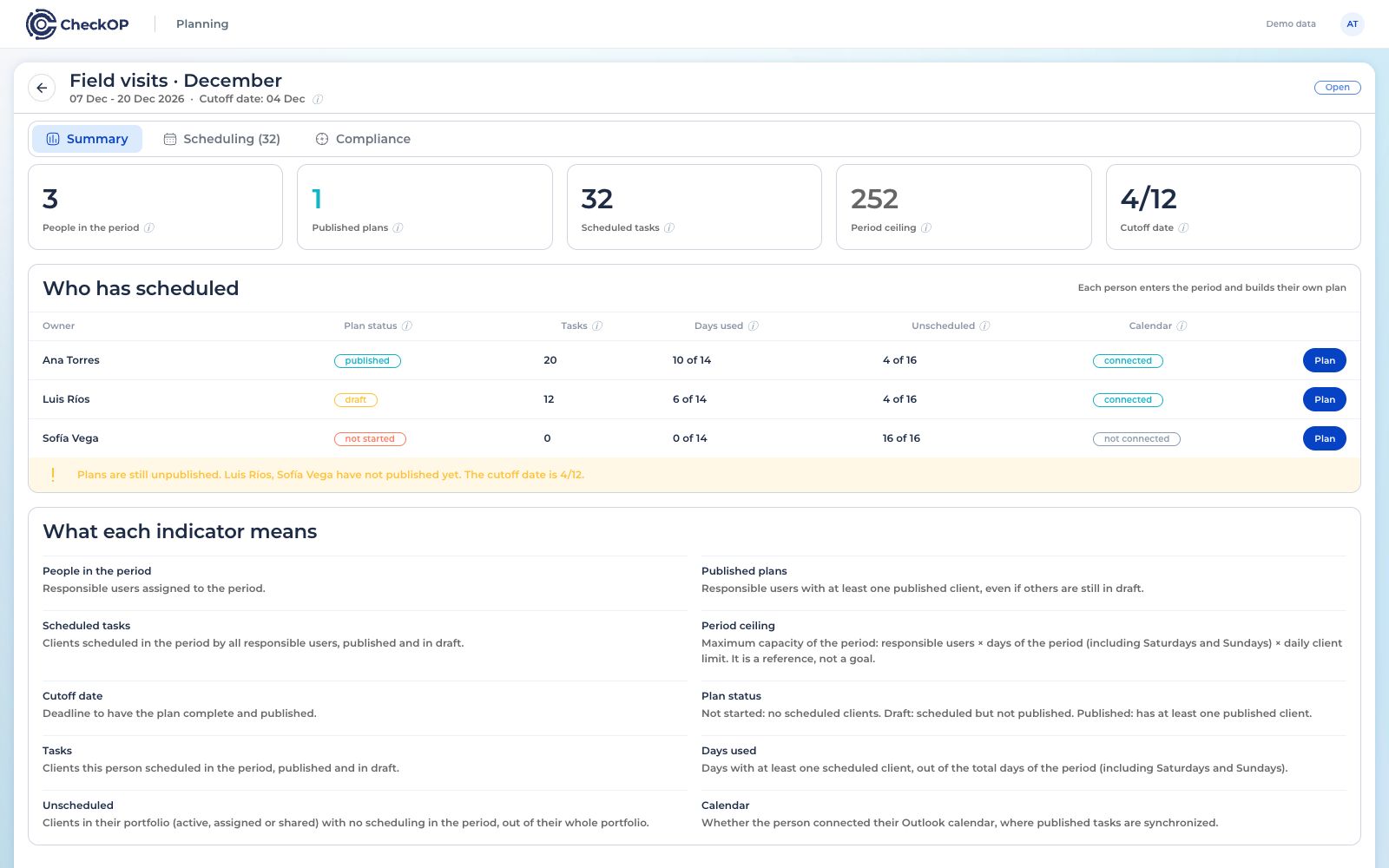
Periods, plans by rep, tasks and metrics in the same dashboard
CheckOP planning summary showing scheduled tasks and the status of plans for three managers.

Publish the plan and your team has its tasks

When you publish, each scheduled customer becomes a task with its form, ready to run on the mobile app or the web, with no retyping.

Your solution

Build the period plan in minutes

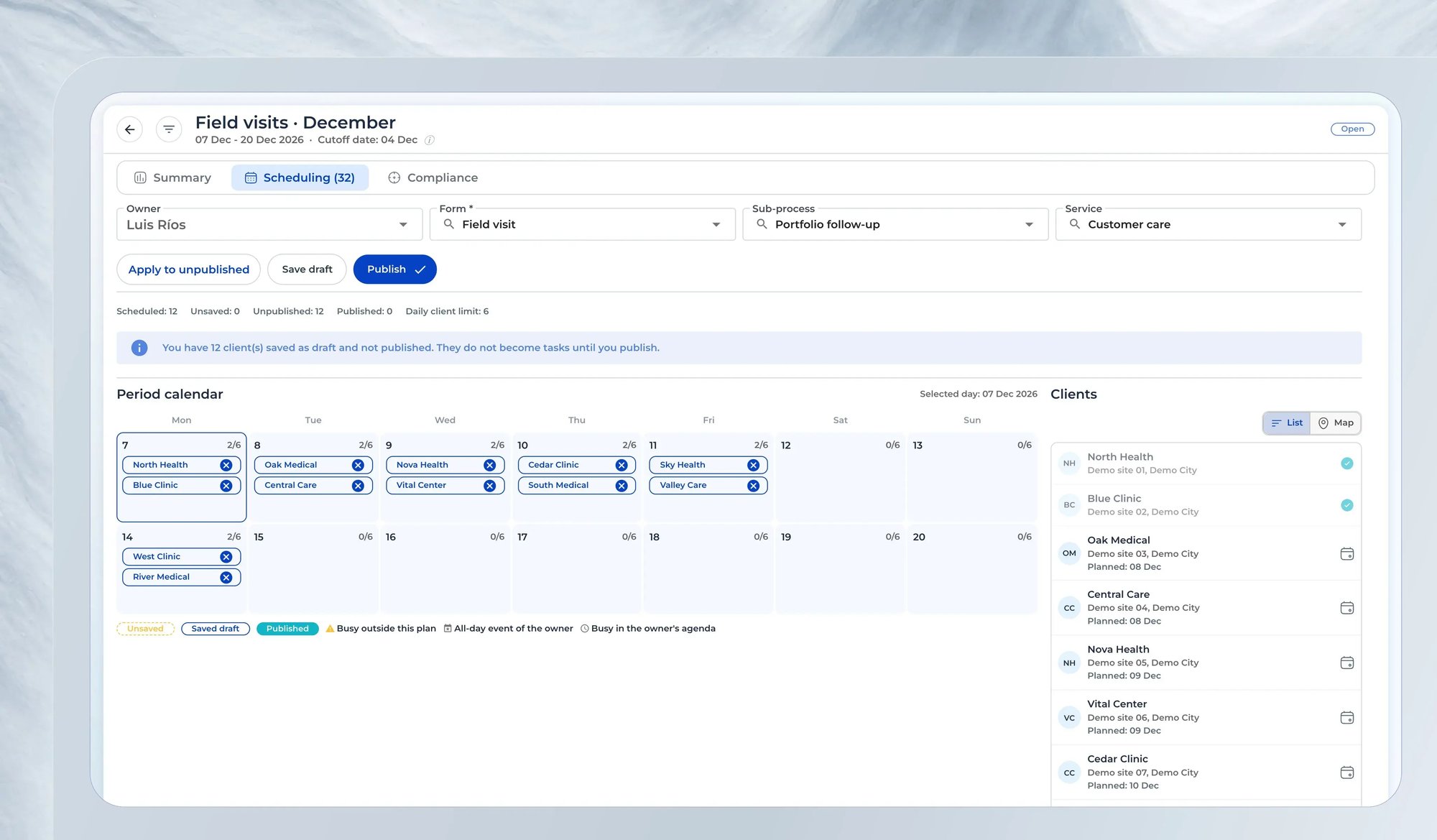
Create the period with its dates, reps and a daily customer cap. Each rep adds customers from the list or the map, saves drafts and publishes when the plan is ready.

CheckOP draft scheduling with a visit calendar, client list and 12 scheduled visits awaiting publication.
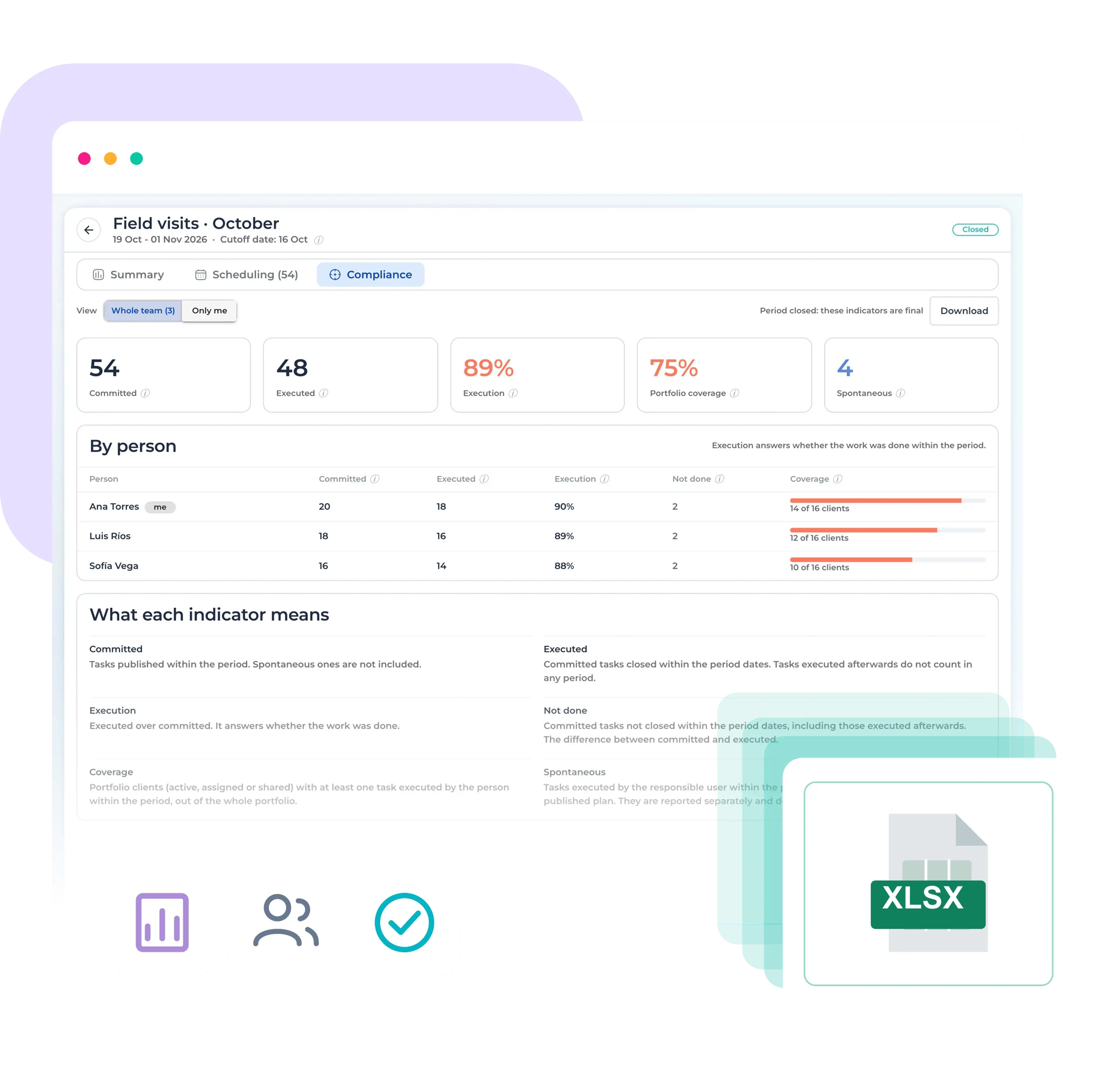
CheckOP compliance dashboard showing 89% execution, 75% client coverage and an Excel export of results.
Your solution

Measure committed versus completed work

See, by rep, committed, completed and missed tasks, unplanned visits and portfolio coverage. Download the summary to Excel.

High performance ecosystem

CheckOP has a wide range of features to enhance your operations.

Periods with automatic status

Open the period when you are ready; it moves to In progress on its start date and closes on its own when it ends.

Profile permissions

Decide who can view, create, edit, delete or export, and who only builds their own plan.

Daily customer cap

Get a warning when a day goes over the agreed capacity, without blocking the planner's call.

Date changes with a reason

Plan tasks can only move within the period, and every change is logged in the history.

Outlook and HubSpot integration

Published tasks reach the rep's calendar and sync with HubSpot when it is enabled.

Busy customer

Warns when a customer is already in another plan or has a pending task that day.

Rep's calendar

Shows Outlook events and busy blocks while you schedule.

Visits with date and time

Set a time and duration for each visit and spread the day automatically.

Success Story

Medical visits planned and measured by period

We organized visits for a pharmaceutical field force.

Illustration of a medical representative scheduling visits on a calendar, featuring a hospital and a map of locations.

One plan per rep, published before the period starts

A pharmaceutical company uses Planning so each rep schedules the period's visits across their physician panel.

The supervisor reviews plans before the cutoff date and, at close, measures each rep's execution and coverage.


For large equipment or specific needs

Find the answers you need

Users whose profile has the Planning create and edit permissions. The rest of the team only builds and publishes their own plan.

Yes. With edit permission they pick the rep and schedule or publish the plan.

Drafts do not become tasks and do not count as committed.

Yes, within the period and with a reason. The change is saved in the task history.

CheckOP compares published tasks against tasks completed within the period, and shows unplanned visits and portfolio coverage separately.