a-minimalist-corporate-wallpaper-featuri_i0qJjvmeQFuLSRT4791Zug_cs3t7RsFR7yXmtqjsurSQw
Industry - Telecommunications

Unlimited connectivity, total control in the field

CheckOP optimizes infrastructure and maintenance, digitizes ATP, monitors crews and connects operations with HubSpot CRM.

Tailor-made plans Assisted Implementation

icon-teams
icon-teams
+30 projects improve their operational management
Modulo---IMG-Media-screen-industry-telecom
+0
network points managed with CheckOP
0%
Less time in the validation and settlement of services performed
0%
Reduction in acceptance protocol rejections (ATP)
bg-waves-1
Explore

Explore your network at a glance

Start now with CheckOP
Image--main

These companies in the sector have optimized their operations

  • HubSpot logo
  • siigo logo
  • logo-progresus
  • logo-wompi
  • Enel Logo

Discover what CheckOP can do for Telecommunications

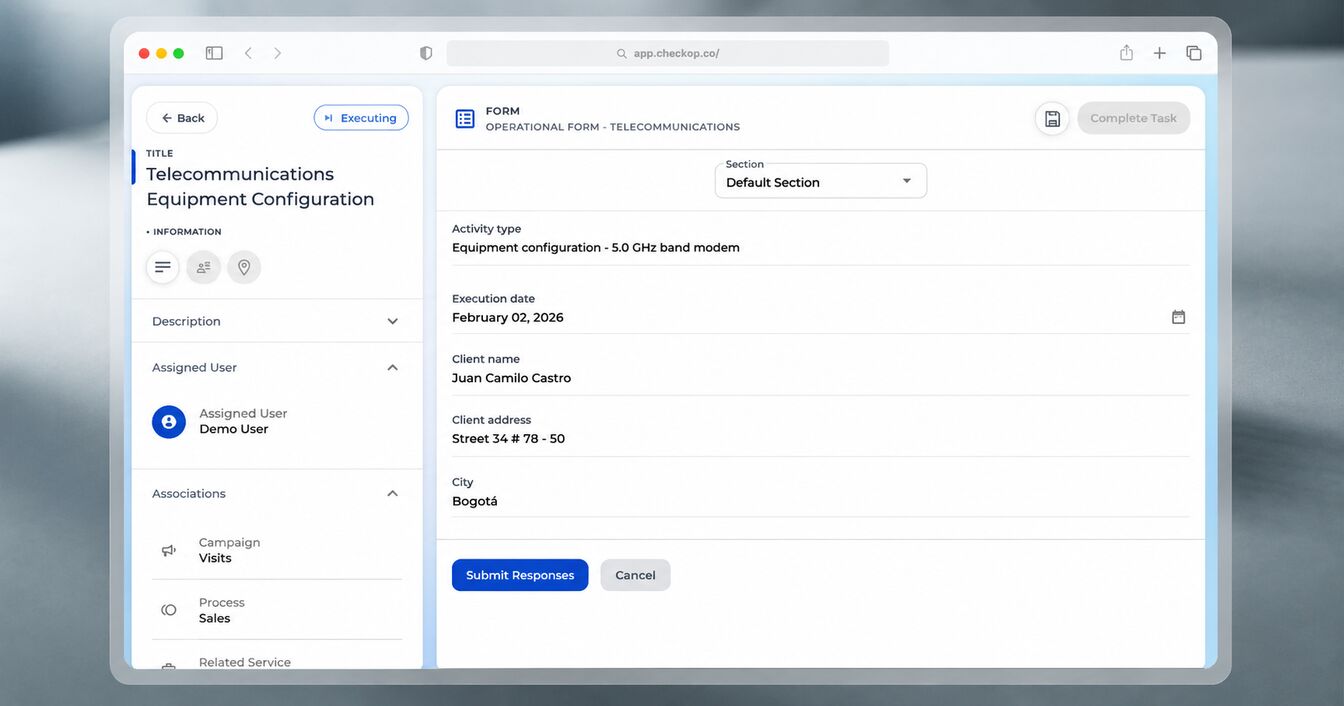
CheckOP connects the technical office with installers in the field, ensuring that each network protocol is complied with according to quality standards.

Service Order Management

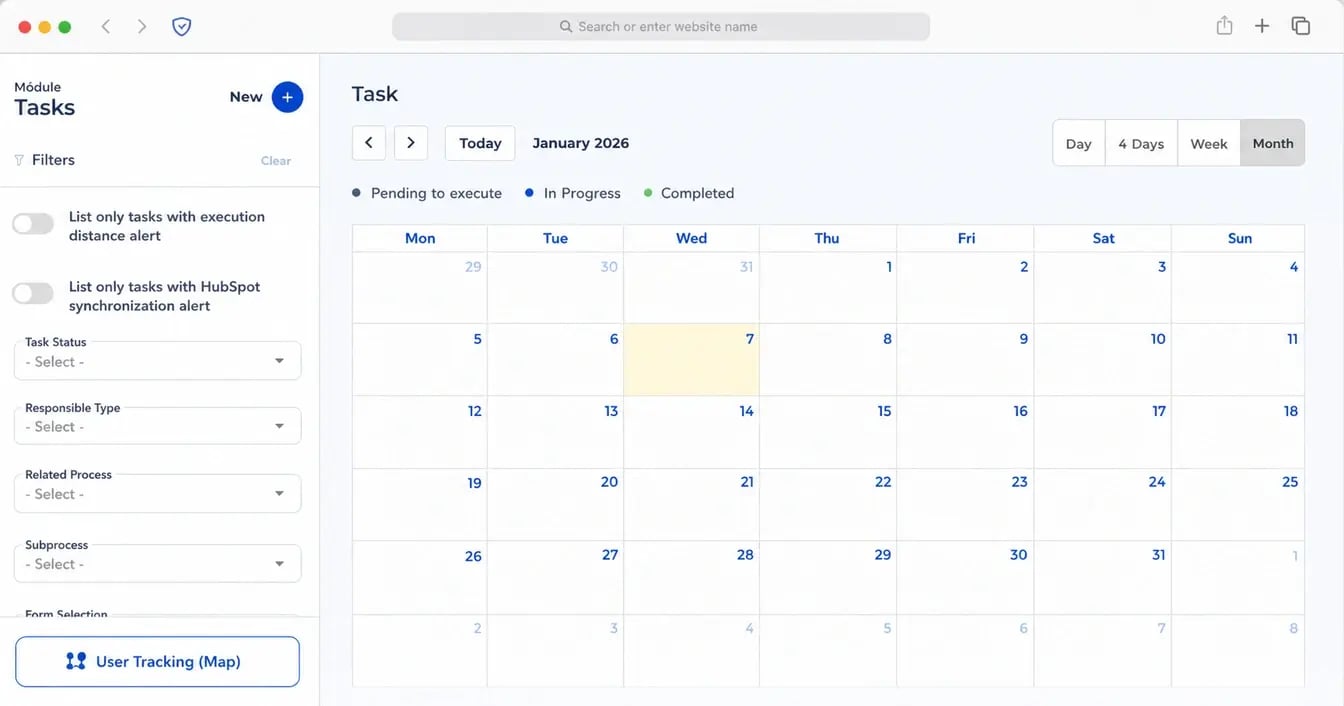
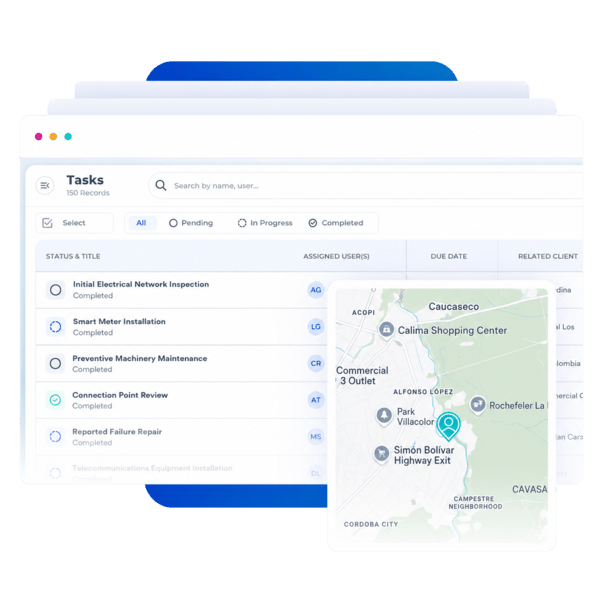
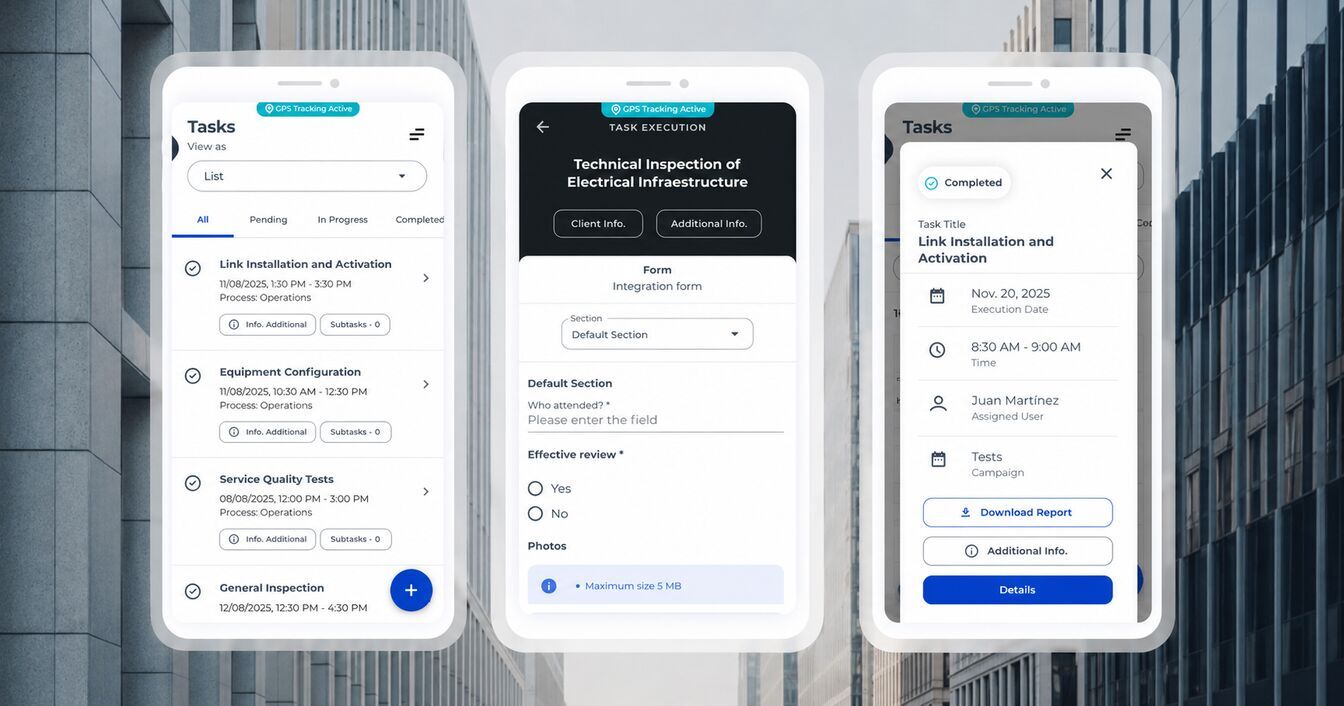
Assign installations, repairs or maintenance directly to your field technicians. Track the status of each order (Pending, In Progress, Completed) and ensure that network priorities are addressed in a timely manner.

Digital Acceptance Protocols

Standardize your ATPs and inspection checklists. Capture labeling photos, power measurements, rack multimedia records and customer satisfaction signatures, generating automatic technical reports.

Field Operation

Your crews report every progress from their mobile device, even at remote sites. The app allows you to document multimedia evidence of the installed infrastructure, eliminating manual reporting errors.

Commercial and Technical Visibility

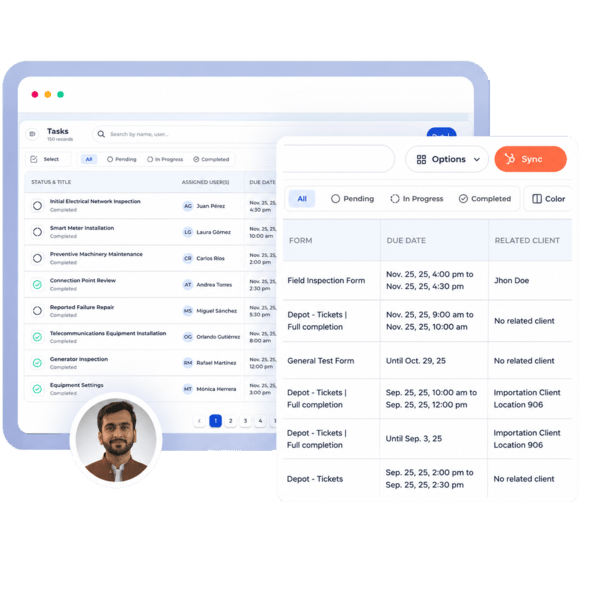
Synchronize the progress of your installations with your support or business tickets in HubSpot. Automatically notify the business area when a service has been activated and attach the final technical report to the CRM.
Agile deployment

Real-time network management

Coordinate your installation crews and keep the workflow synchronized between the operations center and the field. CheckOP centralizes technical execution, ensuring that each node moves forward as planned.

Start now
Module---IMG-feat-1
Module---IMG-feat-1
Module--industry-telecommunications-IMG-feat-2
Robust infrastructure

Node and site monitoring

Manage your network assets and monitor compliance with maintenance activities at each site. CheckOP makes it easy to monitor the status of your tasks to ensure maximum service availability.

Start now

Elevate control of your facilities

Keep each phase of your network deployment clear, structured and aligned with your coverage objectives. Connect processes and teams so that your execution moves forward with greater robustness and traceability from day one.

Why choose CheckOP?

Discover how digitization transforms the speed of response and accuracy of your acceptance protocols (ATP) and technical reports.

Other Apps
CheckOP

Network Deployment

Reports via WhatsApp or Excel without evidence control.

Structured digital record with photos of each phase of installation.

ATP Protocols

Physical formats that are lost or damaged in the field.

Multimedia forms with mandatory validation of standards.

Preventive Maintenance

Visits without historical record of the equipment intervened.

Centralized technical history per node and network asset.

Location of Cuadrillas

Uncertainty about the arrival of technicians on site.

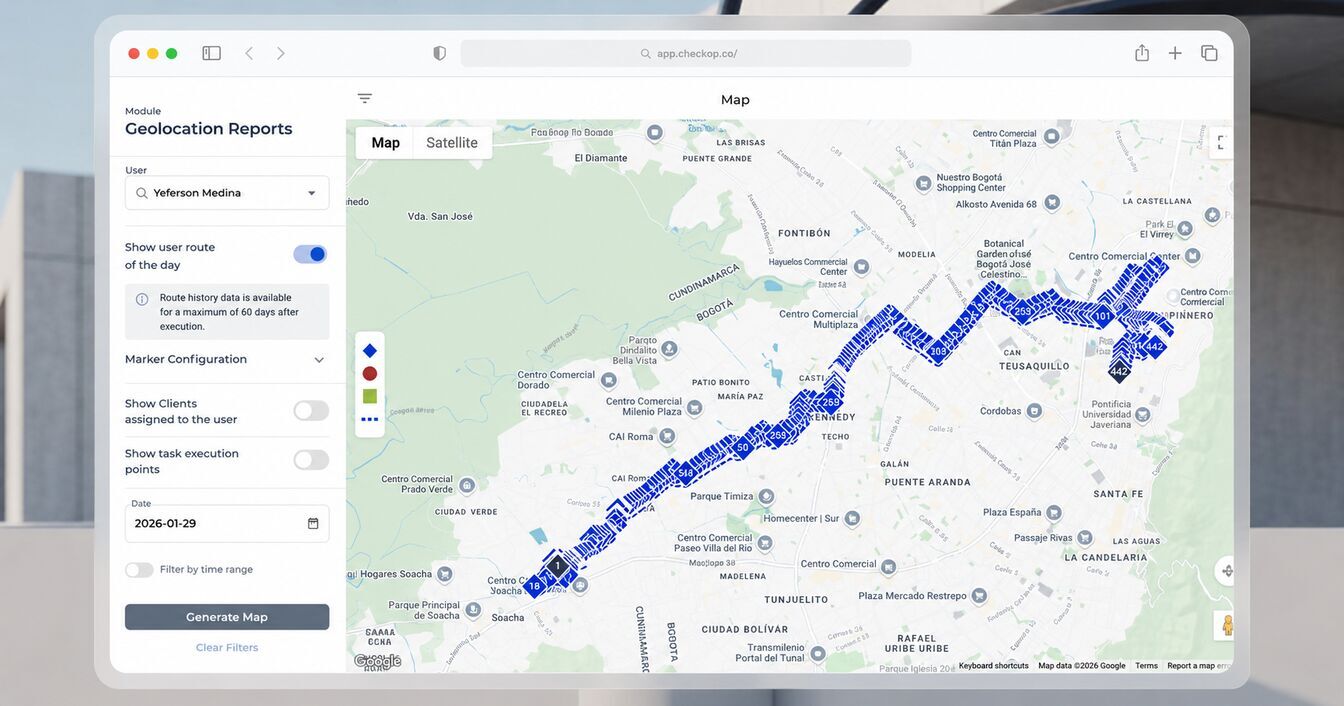
Georeferencing of tasks and optional GPS tracking in the field.

CRM Synchronization

The sales team does not know if the customer is already serviced.

Automatic update of status and reports in HubSpot.

Settlement of Services

Waiting days to process minutes and payments to contractors.

Automatic PDF reports ready for immediate settlement.


Start now
TS
With CheckOP we were able to standardize our fiber optic deliveries. The speed of receiving digital ATP protocols has accelerated our billing incredibly.
avatar telecommunications sector
Field Operations Coordinator, Telecommunications Sector
TS
"Overseeing multiple outside crews was a challenge. Now, with CheckOP, we see the actual progress of each tower maintenance with verifiable evidence. The control over quality is total."
avatar telecommunications sector
Infrastructure Director, Telecommunications Sector
TS
"The integration with HubSpot allows support to see installation reports instantly. We resolved customer questions much faster thanks to CheckOP's technical visibility."
avatar telecommunications sector
Customer Experience Manager , Telecommunications Sector

Take your network operation to a new level of control

Learn how CheckOP solves real-life situations in infrastructure maintenance and deployment.

Media-Slider---Telecommunications---Installation-and-Activation-of-Services-FTTH-50
Media-Slider---Telecommunications---Maintenance-of-Sites-and-Communication-Towers-50
Media-Slider---Telecommunications---Inventory-Audits-on-Racks-and-Nodes-50

Installation and Activation of FTTH Services

Technicians receive routes in the app and report the installation with evidence and signature, automatically sending the activation report.

Maintenance of Sites and Communication Towers

Technicians perform preventive inspections, record battery, air conditioning and radio frequency status, ensuring operation within parameters.

Rack and Node Inventory Audits

Auditors validate cabling and ports with forms, keeping network inventory up to date without subsequent physical audits.

You have questions

Frequently asked questions from our customers

Here are some questions from the industry

banner-contact

Still have questions?

Technicians document any findings or technical impediments within their assigned tasks through photos and voice notes in the mobile app.

Yes, CheckOP allows you to assign licenses to contractors and organize independent work teams to supervise their execution separately.

Installation status changes and key form data are synchronized. In addition, the technical PDF report is linked to the support ticket.

The system captures the exact location at the moment of starting, completing or filling out forms, allowing to verify that the technician was actually at the indicated site.