1:16
A report, an authorization or a certificate for signature usually asks for data that is already in the client record: their ID, their email, their contact person. If the format does not bring that data in, someone has to type it again on every visit.
Not anymore.
The Benefit
Custom formats can now use all the data of the client linked to the task, including your account's custom fields. The document comes out complete, with each client's own information, without retyping it and without transcription errors.
How does it work?
Before. Only the client's name and address were available. Everything else had to be asked again in the form.
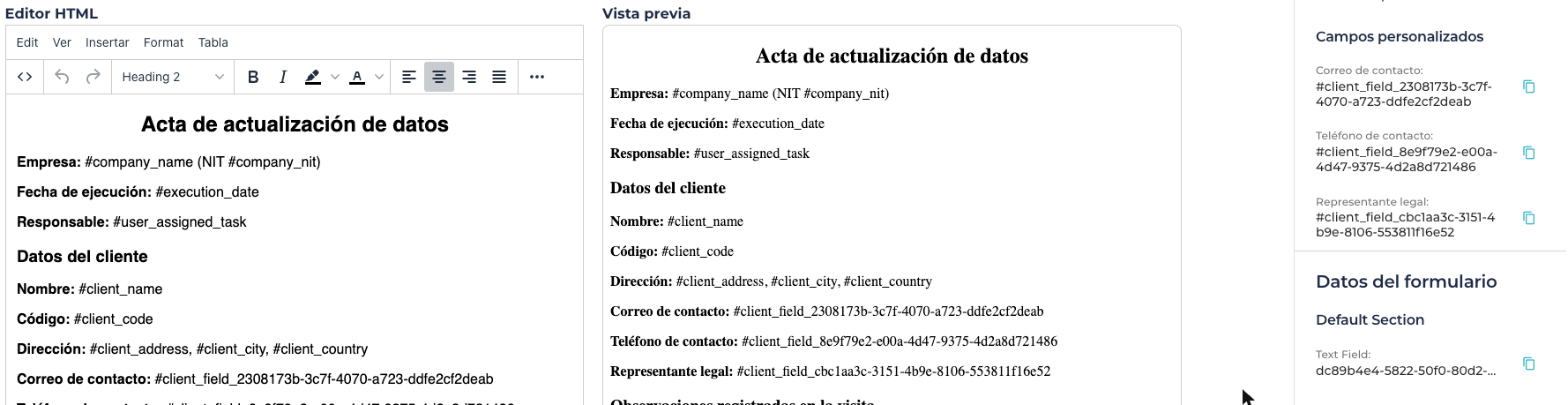
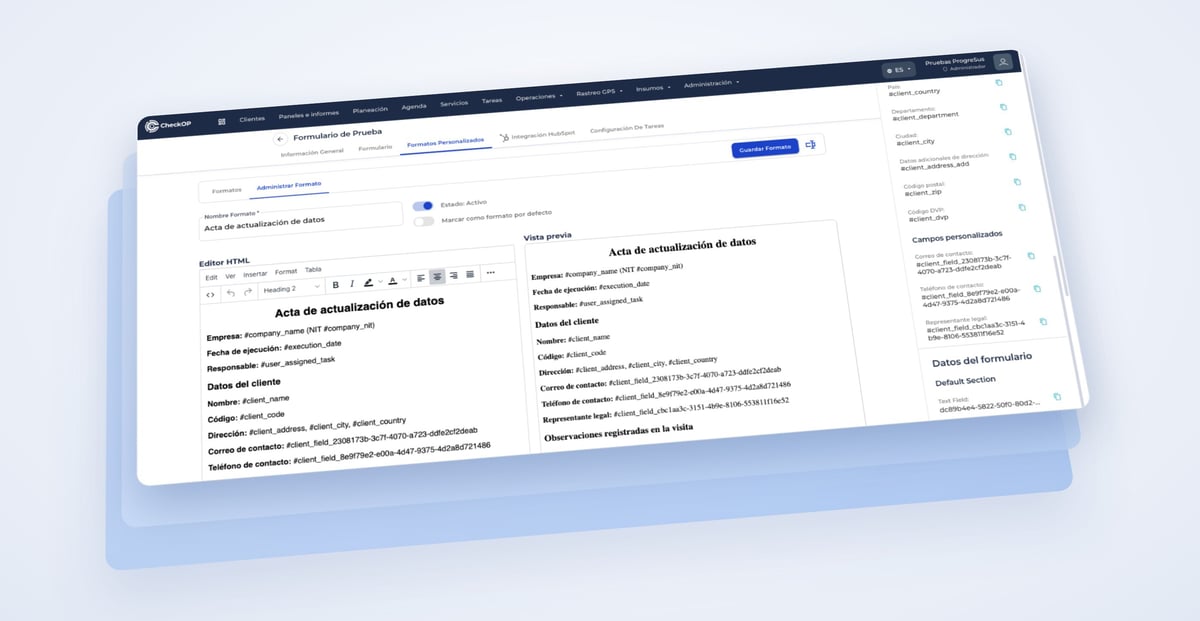
Now. In the form's format designer, the side panel shows two groups:
- Client data: name, code, address, city, state, country and zip code, among others.
- Custom fields: the fields your account created for the Clients module.
Copy the field tag, paste it into the format and, when the document is generated, CheckOP replaces it with the client's current value. It works for the PDF download, the shared link and the document sent to HubSpot.
Example: a data update form that shows the registered email, phone number and legal representative, so the client can confirm or correct them with their signature.